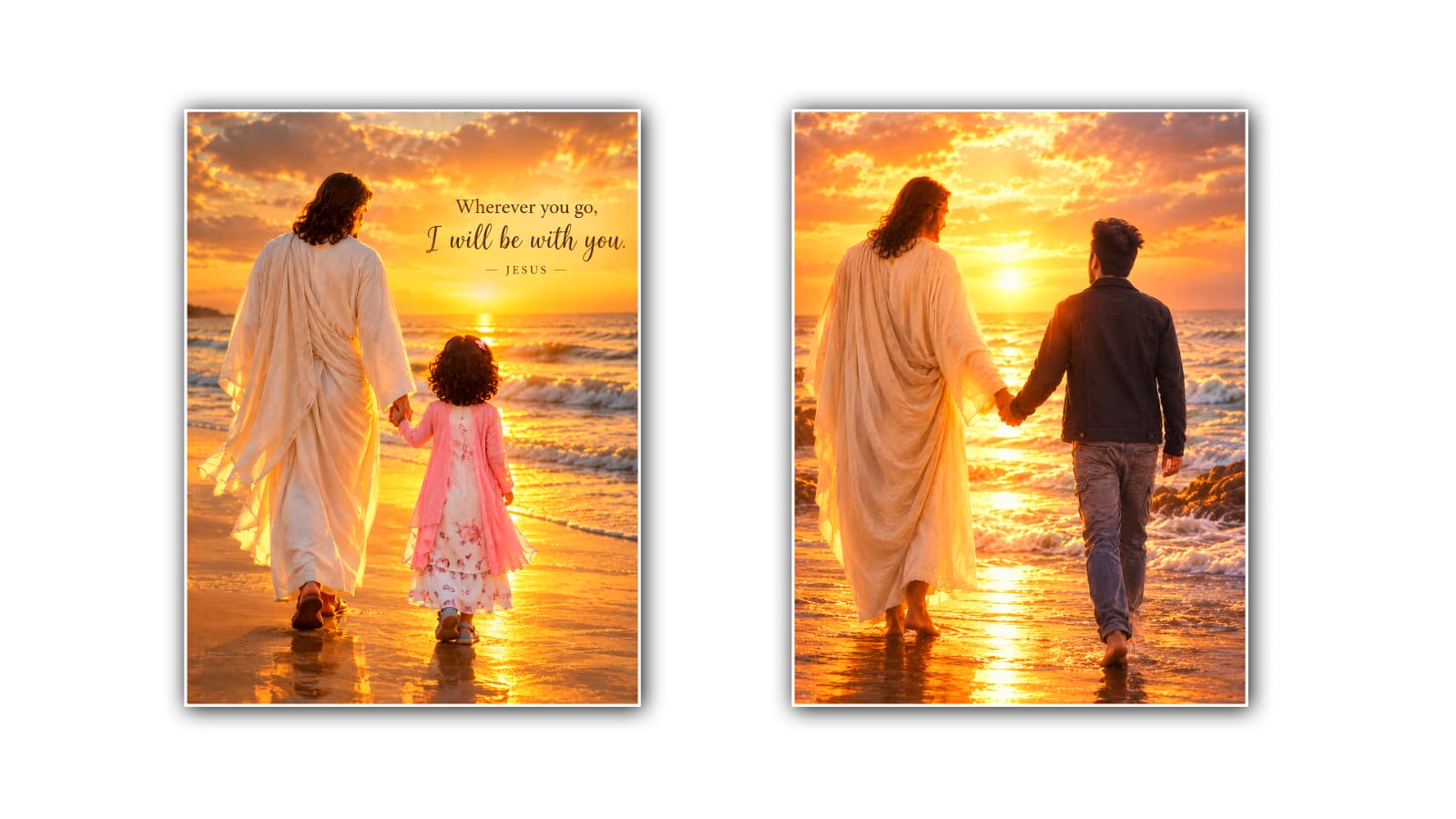

Creating a photo of Jesus holding your hand can be a beautiful and emotional way to create a meaningful image. With the help of Google Gemini, you can turn an ordinary portrait into a peaceful Christian-themed picture without needing advanced photo-editing skills. AI photo editing makes it possible to add Jesus naturally into your photo, adjust the background, improve the lighting, and create an atmosphere that feels warm, spiritual, and personal.
The idea behind this type of photo edit is quite simple. You start with your own photograph and ask Gemini to transform it into a scene where Jesus is walking beside you or gently holding your hand. You can choose a realistic style, a cinematic look, or something that resembles a beautiful religious painting. The key is to give Gemini clear instructions about what you want while asking it to preserve the important details of your original photograph.
Before starting, choose a good-quality photo. A clear picture with your hands and body visible will usually make this kind of editing easier. If your hands are hidden behind another person, inside pockets, or outside the frame, the AI may have more difficulty creating a natural hand-holding pose. A full-body or half-body photo can be particularly useful if you want Jesus to appear beside you.
Open Google Gemini and upload the photo you want to edit. Once the image is uploaded, explain your idea in a natural sentence. You do not need to write a complicated technical prompt. For example, you can ask Gemini to transform your photograph into a realistic Christian-themed scene where Jesus is gently holding your hand while walking beside you.
A useful prompt could be: “Edit this photo realistically and keep my face, identity, hairstyle, clothing, and overall appearance natural. Add a respectful and realistic depiction of Jesus gently holding my hand as we walk together. Create a peaceful background with soft golden sunlight, subtle clouds, and a calm spiritual atmosphere. Make the hands and body proportions look natural, and make the lighting consistent across the entire image.”
The most important part of this prompt is telling Gemini what should stay the same. If you want the edited image to still look like you, mention that your facial features and identity should be preserved. You can also ask the AI not to change your clothing, hairstyle, skin tone, or pose unless you specifically want those details changed.
The hand-holding part deserves special attention because hands can sometimes be difficult for AI image generators and editors. If the hands look unnatural in the first result, you can ask Gemini to correct them. For example, you could say, “Keep the same image but make the hand-holding position anatomically natural. Make sure both hands have realistic proportions, fingers, and lighting.” A follow-up instruction like this can help improve the result.
You can also decide how Jesus should appear in the photograph. Some people may prefer a realistic modern photographic style, while others may want a traditional representation inspired by Christian artwork. You can describe the appearance respectfully without asking for excessive visual effects. For example, you could request simple robes, a gentle expression, natural hair, and soft warm lighting.
The background can change the entire mood of the image. A peaceful field, mountain path, sunrise, garden, or quiet road can make the scene feel calm and hopeful. You might ask for golden sunlight coming through the clouds or a soft sunset in the distance. If you prefer a simple image, you can ask Gemini to use a clean, softly blurred background so that attention remains on you and Jesus.
Lighting is another important detail. If your original photograph was taken outdoors, ask Gemini to match the lighting on Jesus with the lighting on you. This can make the two subjects appear as though they were photographed together. You can also request natural shadows and realistic reflections rather than an exaggerated glowing effect.
If you want a more emotional image, describe the mood you want rather than simply adding lots of effects. Words such as peaceful, comforting, hopeful, warm, gentle, and inspirational can help communicate the feeling you are trying to create. A simple scene with natural lighting can often look more powerful than an image filled with excessive visual effects.
Do not be disappointed if the first result is not perfect. AI photo editing often requires a little experimentation. Look at the generated image and identify the specific problem. Maybe the hands do not look natural, the face has changed, Jesus is standing too far away, or the background is too dramatic. Instead of starting over completely, give Gemini a short follow-up instruction explaining exactly what needs to be corrected.
For example, you might say, “Keep everything else unchanged, but move Jesus slightly closer to me and make our hands connect naturally.” Another useful instruction could be, “Preserve my original face and clothing and reduce the artificial-looking glow around Jesus.” Specific corrections are usually easier for the AI to understand than a completely new description every time.
You can experiment with different compositions as well. In one version, Jesus could be walking beside you while holding your hand. In another, you could be standing together with Jesus gently holding your hand. You could also create an image where the two of you are walking toward a bright sunrise. Each variation can tell a slightly different visual story.
If you plan to use the image as a social media post, consider asking for a vertical composition. If you want it as a phone wallpaper, you can request a taller image with enough space around the main subjects. For a profile picture, a closer portrait may work better. Thinking about where you will use the final image can help you choose the right composition from the beginning.
It is also worth remembering that AI-generated religious imagery should be treated respectfully. Jesus is a central figure in Christianity, and many people have deeply personal feelings about how He is represented. A sincere and peaceful visual style can help keep the image meaningful rather than making it feel like a random digital effect.
Another useful tip is to avoid putting too many instructions into your first prompt. You do not need to describe every tiny detail immediately. Start with the main idea: preserve your photo, add Jesus holding your hand, and create a peaceful Christian atmosphere. Once Gemini produces a result, you can refine individual details such as the background, lighting, clothing, facial appearance, and hand position.
You can also ask for a cinematic or artistic version after you have created a realistic version. For example, you might ask Gemini to make the same composition look like a soft digital painting while keeping your face recognisable. This gives you several creative options without changing the original concept.
Creating a Jesus holding my hand photo in Google Gemini is ultimately about turning a personal idea into a visual story. The technology can handle much of the difficult editing work, but the final result depends on how clearly you describe your vision. A good original photo, a detailed but simple prompt, and a few thoughtful corrections can make a big difference.
Whether you want the image as a personal keepsake, a Christian social media post, a devotional picture, or simply a creative expression of faith, Gemini gives you an accessible way to experiment with the concept. Take your time choosing the photo and describing the scene. Keep your identity natural, pay attention to the hands and lighting, and refine the result until it feels right to you. With a little creativity and patience, you can create a touching image that represents the feeling of walking through life with Jesus by your side.
IMAGE PROMPT
Create a highly realistic cinematic devotional scene using the uploaded image as the identity reference. Show the child from the back only, walking hand-in-hand with Jesus Christ on a peaceful beach shore during a golden sunset. Jesus should be slightly on the left side, wearing a flowing white robe, gently holding the child’s hand and guiding her toward the ocean horizon. Keep the same pink outfit, floral dress details, curly hairstyle, and hair accessory from the reference image, but show only the back view with no face visible.
Both characters should be walking away from the camera toward the glowing ocean, with golden sunlight, sunset reflection on wet sand, soft waves, dramatic sky, peaceful heavenly atmosphere, emotional spiritual feeling, cinematic movie style, ultra-photorealistic lighting, high detail, beautiful composition, vertical portrait 4:5 aspect ratio.
Add an elegant inspirational quotation on the right side of the image with beautiful cinematic typography:
“Wherever you go,
I will be with you.”
— JESUS —
Place the text naturally in the empty sky area, with a soft, elegant style that matches the devotional mood. Ensure the text is clear, balanced, and does not cover the people.
Negative Prompt: front face, face visible, looking at camera, different person, extra people, text errors, wrong spelling, watermark, logo, distorted hands, bad anatomy, cartoon style, low quality, blurry image, unrealistic body, unnatural lighting.
