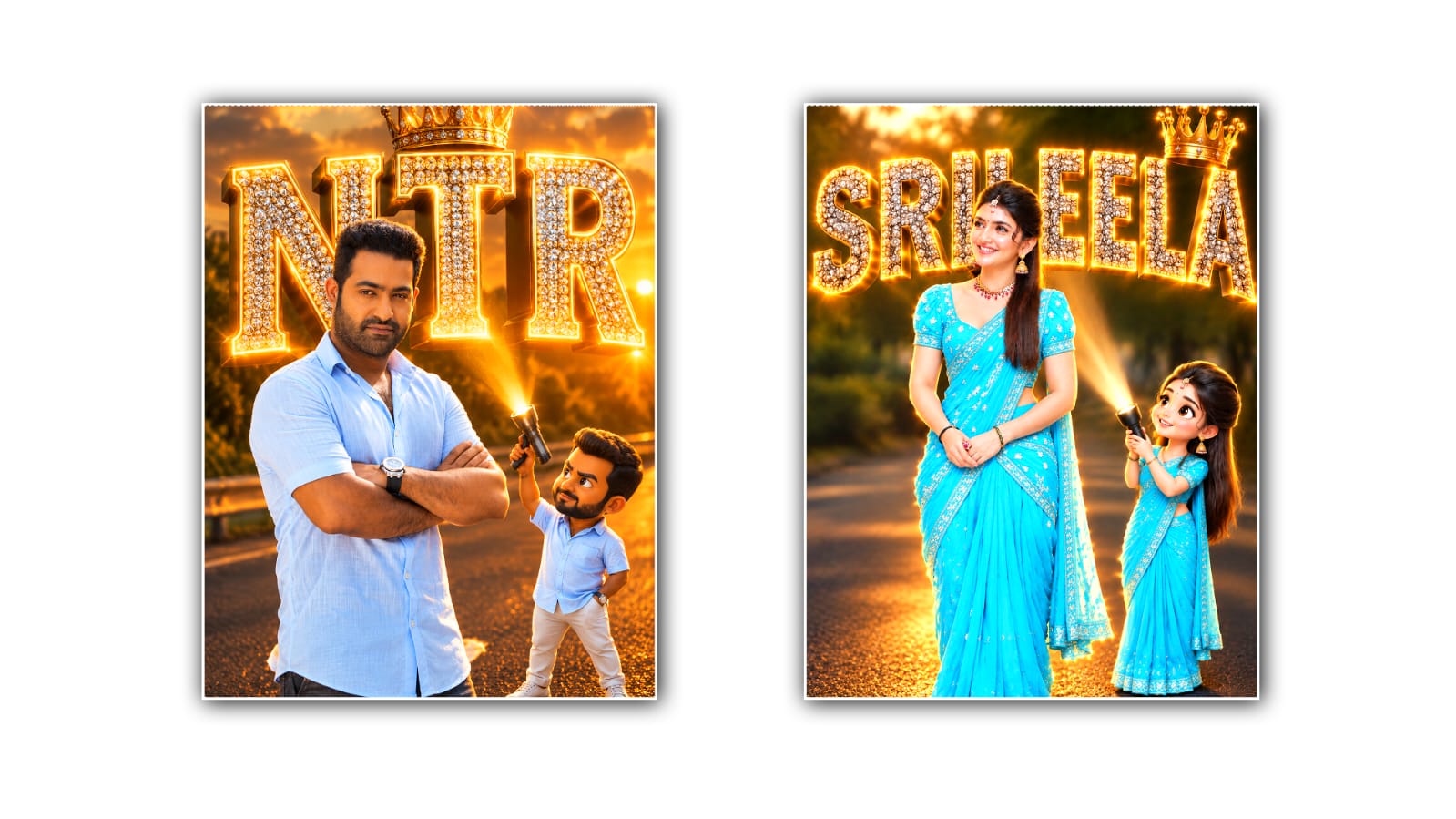

Creating a cinematic poster for Instagram used to mean spending hours in Photoshop, searching for the right fonts, adjusting colours, adding dramatic lighting, and trying to make everything look professional. Today, tools like Google Gemini can make that process much easier, even if you have little or no graphic design experience. With the right image, a clear prompt, and a few creative adjustments, you can create a poster that has the dramatic, polished look people often associate with movie posters and viral Instagram edits.
The first thing you need is a good-quality photo. It can be a portrait of yourself, a picture of a friend, a product photo, or even an image from a photoshoot. The original image does not have to look cinematic. In fact, a simple photograph can work surprisingly well because Gemini can transform the overall mood, lighting, colours, and composition. Try to choose an image where the main subject is clearly visible, and there is enough space around the person or object. A cluttered background can make the final poster look messy.
Once you have your image ready, upload it to Google Gemini. Instead of simply asking Gemini to “make a cinematic poster,” describe the visual style you want in detail. AI image editing generally works better when your prompt explains the atmosphere, lighting, composition, colours, background, and overall feeling. You do not need to use complicated technical words, but you should be specific about the result you have in mind.
For example, you could use a prompt like: “Turn this photo into a dramatic cinematic Instagram poster. Keep the person’s face, identity, hairstyle, and clothing recognisable. Create a dark movie-poster atmosphere with dramatic blue and orange lighting, subtle fog, deep shadows, realistic skin texture, strong contrast, and a professional film colour grade. Add a powerful background with soft cinematic depth and glowing highlights. Make the composition premium, realistic, emotional, and suitable for a viral Instagram post.”
One important trick is to tell Gemini what you do not want changed. If you are editing a portrait, say that the person’s facial identity, facial structure, hairstyle, clothing, and natural appearance should remain consistent. This can help prevent the generated image from becoming a completely different person. If the original photograph has an important object, logo, or product, mention that it should remain recognisable as well.
The cinematic look itself usually comes from a combination of lighting, colour, atmosphere, and composition. Lighting is especially important. Instead of asking for “good lighting,” describe the lighting you want. You might ask for a strong rim light around the subject, soft light on one side of the face, deep shadows on the other side, and a subtle glow in the background. These details can make a normal photograph feel much more like a scene from a film. Colour grading is another major part of the effect. Many popular cinematic posters use contrasting colours, such as cool blue shadows combined with warm orange highlights. You can ask Gemini for a teal-and-orange cinematic grade, muted colours with warm highlights, dark neutral tones, or a moody blue colour palette. The best choice depends on the subject and the emotion you want the poster to communicate. A romantic poster might benefit from warm golden tones, while an action-style design could work better with darker blues, reds, and high contrast.
The background can completely change the appearance of the poster. If your original photo was taken in an ordinary location, ask Gemini to create a cinematic environment around the subject while keeping the subject itself realistic. For example, you could request a nighttime city background with blurred lights, light rain, atmospheric fog, distant buildings, and subtle reflections. For a more dramatic look, you could ask for storm clouds, dramatic architecture, smoke, or a mysterious landscape. The key is to make the background support the subject rather than compete with it.
Composition also matters if you want the result to work well on Instagram. A cinematic poster should have a clear focal point. The viewer should immediately understand where to look. You can ask Gemini to place the subject in the centre, slightly off-centre, or use a wide movie-poster composition with negative space for text. If you plan to add a title later, leave enough space at the top or bottom. This small decision can make the final design look much more intentional.
Another useful approach is to create the visual first and add typography afterwards. AI image generators can sometimes struggle with exact text, spelling, or complicated typography. If you need a professional title, it is often easier to generate the cinematic artwork in Gemini and then add the title using Canva, Photoshop, Adobe Express, or another editing application. You can choose a bold condensed font, add subtle spacing between letters, and use a small subtitle underneath to create a traditional movie-poster feel.
For Instagram, the image should also be designed around the platform’s visual environment. A dramatic image that looks beautiful on a large screen may lose its impact when viewed as a small thumbnail. Strong contrast, a recognisable subject, and a simple composition can help the image stand out while people are scrolling. If the poster is intended for a feed post, a vertical composition is generally a practical choice. You can also create different crops for a post, Story, Reel cover, or profile grid.
Don’t expect the first generation to be perfect. One of the biggest mistakes beginners make is trying to get the final image with a single prompt. Instead, treat Gemini like a creative partner. Start with the basic cinematic transformation and then make smaller requests. You might say, “Make the lighting more dramatic,” “Reduce the background details,” “Make the face more natural,” or “Increase the cinematic contrast while keeping realistic skin tones.” Small changes can have a surprisingly large effect.
You can also experiment with different cinematic themes. Try a luxury fashion-poster style, a futuristic science-fiction look, a romantic film poster, a gritty urban thriller, a vintage 1990s movie aesthetic, or a clean premium advertising style. Changing just the environment and colour palette can make the same photograph feel completely different.
If you want a more authentic movie-poster appearance, include details such as atmospheric depth, subtle film grain, realistic lens bloom, shallow depth of field, volumetric lighting, dramatic shadows, and professional colour grading. However, avoid stuffing every possible effect into one prompt. Too many effects can make the image look artificial. The goal is not to make the poster look obviously AI-generated. The goal is to make it feel like a professionally photographed and professionally graded image.
After Gemini produces a result you like, inspect the small details. Look at the eyes, hands, hair, clothing, jewellery, background objects, and overall proportions. AI-generated images can sometimes introduce unwanted changes. If something looks strange, tell Gemini specifically what needs to be corrected rather than regenerating the entire concept from scratch.
Finally, remember that “viral” is not something any AI tool can guarantee. A cinematic image may look impressive, but Instagram performance also depends on the subject, timing, caption, audience, originality, and how people respond to the post. What you can control is the quality and visual identity of the content. A strong image with a recognisable style gives you a better foundation for creating posts that people want to stop and look at.
The most effective workflow is therefore quite simple: start with a clean photograph, upload it to Gemini, describe the cinematic atmosphere you want, protect the subject’s identity, refine the lighting and background, and then finish the typography and Instagram formatting separately if necessary. Don’t be afraid to generate several versions and compare them. Sometimes the most interesting result comes from an unexpected colour combination or background rather than the first idea you had.
The real advantage of using Gemini is not simply that it can create a dramatic image. It gives ordinary creators the ability to experiment with professional-looking visual concepts without needing advanced design skills. With a little patience and better prompting, a normal portrait can become something that feels like a scene from a movie, a fashion campaign, or a professionally designed promotional poster. The secret is to focus less on adding random effects and more on creating a clear mood, strong composition, realistic lighting, and a visual story that makes someone want to stop scrolling.
IMAGE PROMPT
Create a high-quality cinematic poster style portrait using the uploaded person's photo. Keep the person's face, hairstyle, body shape and identity exactly the same. Place the person standing on a realistic road background during golden hour with dramatic lighting. Add large 3D glowing text behind the person with the name "[YOUR NAME]" in huge bold metallic letters. The letters should have a luxury diamond/stone texture with warm golden neon outline glow. Add a stylish golden crown above one letter.

Add a cute 3D cartoon mini version of the same person standing beside him, wearing the same outfit, pointing a flashlight toward the name text. Keep the cartoon character matching the person's clothes and hairstyle. Make the scene look like a viral Instagram cinematic edit: ultra realistic, 8K quality, depth of field, soft bokeh background, glowing edges, dramatic shadows, premium poster design, realistic skin texture, sharp details.

Do not change the person's face, no extra fingers, no distorted body, no blurry face, no wrong text, no watermark, no unrealistic features.
