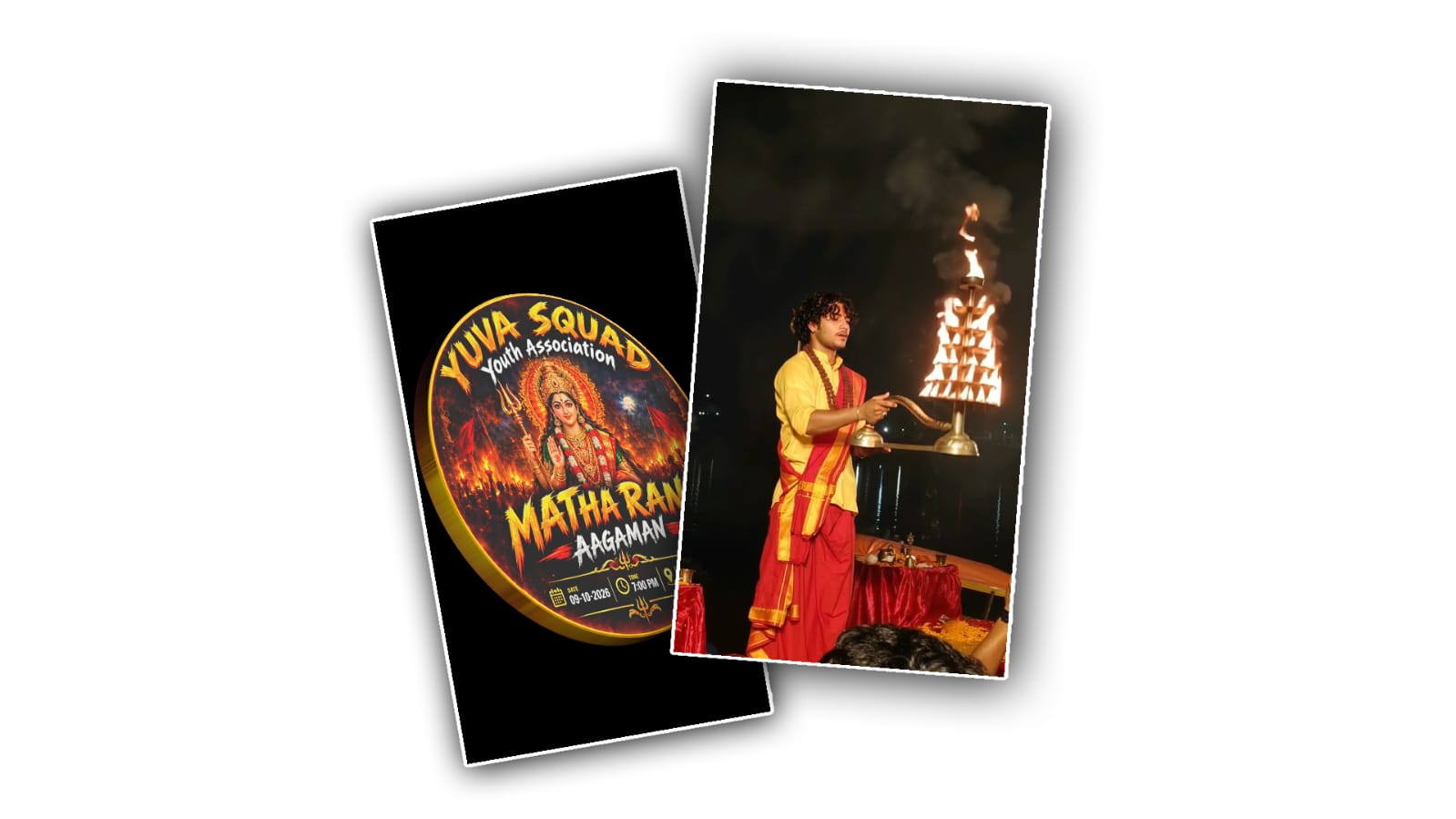

Creating a Durga Mata Youth logo animation video in Google Gemini is a creative way to show devotion, celebrate Indian culture, and make your youth group look more attractive on social media. If you want to create a beautiful devotional logo animation for Navratri, Durga Puja, a local youth association, or a religious event, you can use AI tools to bring your ideas to life. You do not need to be a professional video editor or graphic designer to get started. With a clear idea, a good prompt, and a few simple steps, you can create an impressive Maa Durga-inspired animation for your group.
Google Gemini can help you develop creative concepts, generate suitable images where image generation is available, and improve your prompts for AI video creation. However, the exact features available may depend on your account, region, and the tools accessible to you. If video generation is not available directly in your Gemini interface, you can use Gemini to prepare the image and animation prompts, then use a compatible AI video generator or editing application to complete the project.
Before you begin, think about the style you want for your Durga Mata Youth logo animation. Some people prefer a traditional devotional look with Maa Durga, a glowing trident, a lion, red and golden colours, temple bells, and divine light. Others may prefer a modern 3D logo with cinematic lighting, particles, smoke effects, and a powerful background. You can combine traditional Indian devotional elements with modern animation effects to create a design that feels both meaningful and professional.
The first step is to prepare your logo concept. If your youth group already has a logo, keep it ready as a reference image. A logo with clear lettering, simple shapes, and balanced colours is usually easier to animate. If you do not have an existing logo, you can ask Gemini to help you create a design concept for your group. Decide on the exact name you want to display, such as Durga Mata Youth, Maa Durga Youth Club, or your local association’s official name. Make sure the spelling is correct because AI-generated images can sometimes produce incorrect letters or unusual text.
Open Google Gemini in your browser or mobile application and sign in to your account. Start a new conversation and describe the logo you want to create. Be specific about the colours, religious symbols, visual style, and overall mood. Instead of entering only a short request such as “make a Durga Mata logo,” explain the complete idea so the AI can understand your vision.
For example, you can write a prompt like this: “Create a beautiful and powerful devotional logo for Durga Mata Youth. Include a detailed illustration of Goddess Durga with a radiant golden crown, a traditional red saree, a glowing trident, and a majestic lion. Use rich red, gold, and dark maroon colours with divine lighting and a subtle temple-inspired background. Place the words ‘DURGA MATA YOUTH’ prominently in bold, elegant lettering. Make the design symmetrical, visually balanced, high quality, and suitable for a cinematic logo animation. Keep the main logo centred and leave enough space around it for animation effects.”
You can change this prompt according to your group’s identity. For a more modern appearance, request a metallic 3D emblem, golden outlines, glowing particles, and a dark background. For a traditional appearance, request a devotional illustration, lotus flowers, temple decorations, and warm golden light. If you want the logo to look good on Instagram Reels, YouTube Shorts, or WhatsApp status, ask for a vertical 9:16 composition. For a YouTube intro or widescreen video, a 16:9 composition is more suitable.
After generating the initial design, review the result carefully. Check whether the goddess’s appearance is respectful, the logo is balanced, and the group name is readable. If the image does not match your expectations, continue the conversation with Gemini and explain what you want to change. You could ask it to make the golden border brighter, improve the contrast, simplify the background, increase the size of the group name, or make the overall design more suitable for animation. Small adjustments can make a noticeable difference to the final result.
Once you have a logo design that you like, the next step is to plan the animation. A good devotional logo animation does not need too many effects. A smooth reveal with a glowing trident, floating golden particles, a soft light beam, and a final appearance of the logo can look more impressive than an animation filled with random movements. The important thing is to keep the viewer’s attention on the goddess and the name of your youth group.
You can ask Gemini to write a detailed video-generation prompt. For example: “Create a cinematic devotional logo animation for Durga Mata Youth using the provided logo as the main reference. Begin with a dark maroon background filled with subtle golden particles and gentle sacred light. Slowly reveal a glowing golden trident in the centre. Introduce a soft red and golden light around the emblem, followed by a majestic devotional appearance of Goddess Durga and her lion. Let the logo emerge gradually from the glowing light with elegant particles and a smooth 3D effect. Reveal the words ‘DURGA MATA YOUTH’ clearly beneath the emblem. Finish with a powerful golden glow, a subtle camera push-in, and a clean final frame. Maintain the original logo design, keep the text readable, use respectful religious imagery, and avoid unnecessary visual distortion.”
Copy this prompt into a compatible AI video-generation tool if your Gemini interface does not provide direct video creation. If your account has access to a suitable video-generation feature, follow the available instructions to create the clip and provide the logo image as a reference when supported. Some video tools accept reference images, while others generate a scene from text alone. Following the tool’s actual options will help you avoid unnecessary steps.
Keep in mind that AI video generators may alter faces, religious symbols, or lettering between frames. This is particularly important when creating a devotional logo because the group name and central image should remain consistent. If the tool changes the spelling or distorts the emblem, try a shorter prompt, reduce the amount of movement, or generate a background animation separately. You can then place your original logo over the animation in a video editor. This approach often gives you better control over the final appearance.
After generating the animation, download the video if the tool provides that option. Open a video editing application such as CapCut, VN, or another editor available to you. Import the generated clip and add your original logo if necessary. You can adjust the brightness, contrast, colour grading, and timing to make the golden and red tones look consistent. If you want a devotional atmosphere, consider adding suitable temple bells, a soft instrumental devotional soundtrack, or a dramatic musical rise. Use audio that you have permission to use, especially if you plan to publish the video on YouTube or Instagram.
Timing is another important part of the process. For a short social media intro, a duration of around five to ten seconds is often enough. Begin with a brief visual introduction, reveal the main emblem smoothly, and hold the completed logo on screen for a moment so viewers can read the name. Avoid making the animation too fast, because important details may disappear before people have time to notice them. A clean ending with the group name clearly visible can make your video feel more professional.
Before publishing the final video, watch it from beginning to end and check the text, visual quality, sound levels, and aspect ratio. Make sure the logo is not cut off at the edges and that the goddess’s image remains clear throughout the animation. If the video is intended for a youth association’s social media page, you can also add the group’s location, event name, or Navratri celebration details in the editing stage without overcrowding the main logo.
Finally, export the video in a resolution supported by your editing application, preferably 1080p when available. Save a clean version without extra text so you can reuse it for future events. You can create different versions with festive backgrounds, event dates, or alternative music while keeping the central logo consistent.
Creating a Durga Mata Youth logo animation with Google Gemini is mainly about combining a clear creative idea with effective AI prompts and careful editing. Gemini can help you develop the design, refine the animation instructions, and explore different visual styles, while a compatible video tool and editor can help you turn that concept into a finished video. With patience and a few improvements, you can create a devotional animation that represents your youth group beautifully and shares your devotion to Maa Durga with your community.
LOGO PROMPT
Create a premium circular Mata Rani Aagaman festival logo/poster in the exact same visual style and composition as the provided reference image. Make it a perfect circular emblem with a glowing metallic golden outer border, dramatic black and deep red background, fiery orange temple atmosphere, devotional crowd silhouettes, glowing diyas/flames, red flags, cinematic lighting and rich gold highlights. At the center, show a beautiful divine Mata Rani / Goddess Durga with an ornate golden crown, traditional red-and-green saree, heavy gold jewelry, glowing divine halo, holding a trident and giving a blessing pose. Make the goddess highly detailed, devotional, powerful and photorealistic.

TEXT LAYOUT — keep the same hierarchy and placement:
TOP:
[YOUR YOUTH NAME]
Directly below it in smaller white text:
Youth Association

CENTER / LOWER CENTER:
MATHA RANI
AAGAMAN

BOTTOM INFORMATION BAR:
DATE: [DATE]
TIME: [TIME]
LOCATION: [LOCATION]

Use bold brush-style golden typography for the youth name and “MATHA RANI”, white typography for secondary text, and attractive red/gold decorative elements. Keep all text clearly readable, correctly spelled and exactly as provided. Do not add any extra names, dates, locations or random text. Make the final design look like a professional high-end Durga Mata festival youth association logo, with strong devotional energy, cinematic contrast, premium 3D depth, sharp details, symmetrical circular composition, and clean typography. Output as a high-resolution PNG with a clean transparent background outside the circular emblem. No watermark, no mockup, no phone screenshot.
